Mic Excitation
The standalone and web apps can take audio from your input device — built-in mic, USB interface, or anything the OS exposes as an input — and feed it into each instrument's physical model the same way the resonator effect plugins do.
Turning it on
Each instrument has its own mic toggle on the left of the parameter toolbar (a small microphone icon). Tapping it routes the input device's audio into that instrument's resonator.
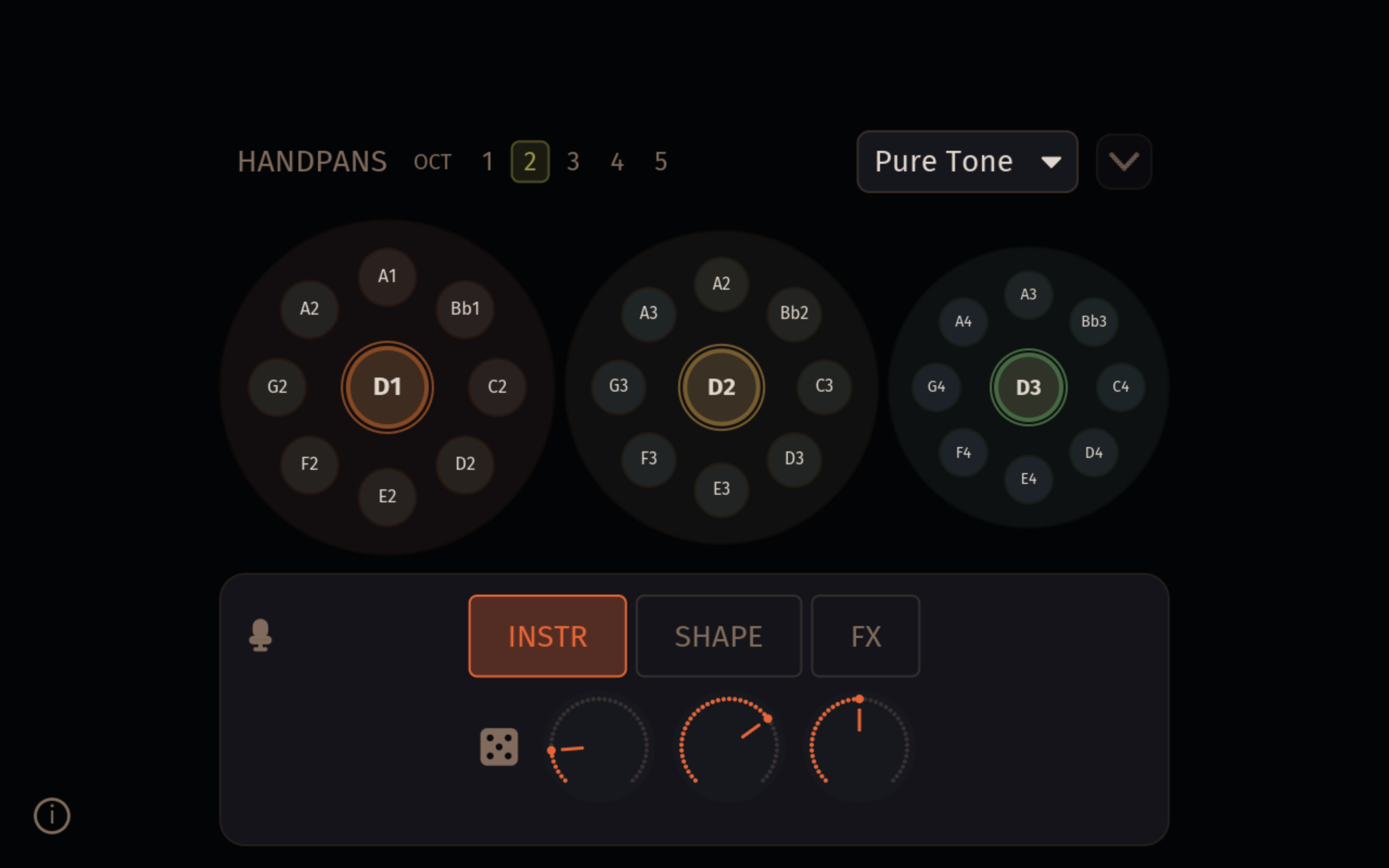
Each instrument has its own mic toggle and they're independent — route the mic into the gong only, all three at once, or any combination.
The toggle is hidden if the platform has no audio input available (for example, the iOS app running as an AUv3 plugin uses the host's audio chain instead).
Permissions
- Web app — the first time you tap a mic toggle the browser will ask for microphone permission. Permission is per-site; you can revoke it later from your browser's site settings.
- Standalone macOS / Windows / Linux — the OS may prompt the first time the app opens an input stream. After that it'll remember the grant.
If you don't see a mic toggle but expect one, check that an input device is selected under Audio settings — Orbiter shows the toggle only when at least one input device is available.
Choosing the input device
The input device picker lives in Settings → Audio → Input. The dropdown lists every input device the OS exposes; the System Default option follows your OS-level default and changes if you plug in a new mic.
The web app uses whatever the browser's getUserMedia returns — typically the OS default. Some browsers let you pick a specific input from their address-bar microphone permissions popover.
Behaviour
The model is a real-time resonator, not a recorder. Transient input (claps, taps, plucks) excites a wide range of modes briefly; sustained input (held vowel, bowed string, pad) keeps energy flowing into the model and tends to engage the bowl's friction "rub" mode. Silence in produces silence out.
MIDI notes you play while the mic is on layer into the same resonator alongside the audio input.
If you don't hear anything, check the OS-level input level and that the browser hasn't denied microphone permission.